Bank Transfer

ACH Transaction Instructions

Give securely through Pushpay using your checking or savings account.

How to Give by ACH

Follow the steps below to add a checking or savings account as your payment method. The Pushpay screen may look slightly different as its interface is updated.

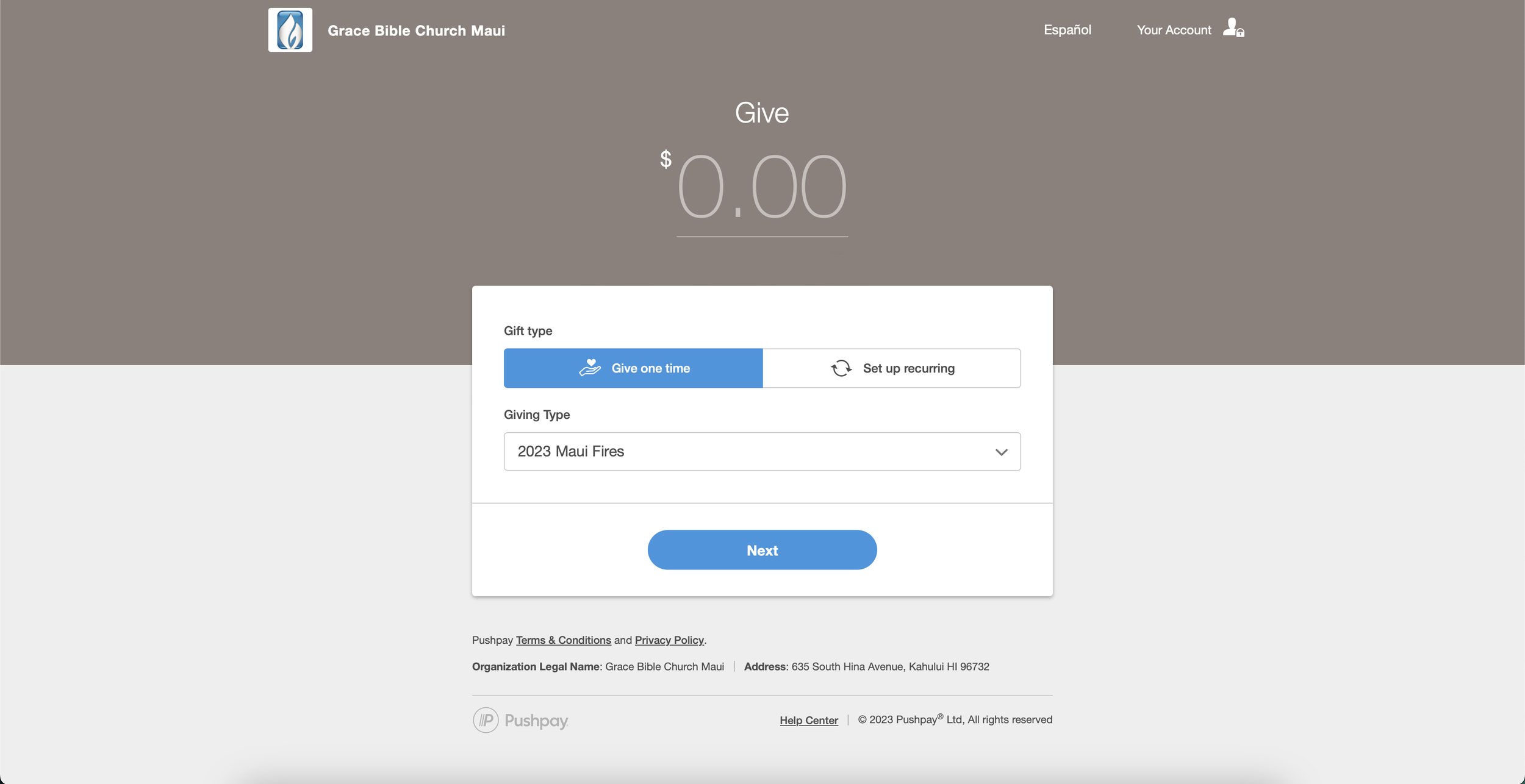
Pushpay screen for entering a gift and selecting the giving type

Steps 1–4

Enter Your Gift

  1. Select Give One Time.
  2. Select 2023 Maui Fires from the Giving Type menu.
  3. Enter the amount you would like to donate.
  4. Select Next.
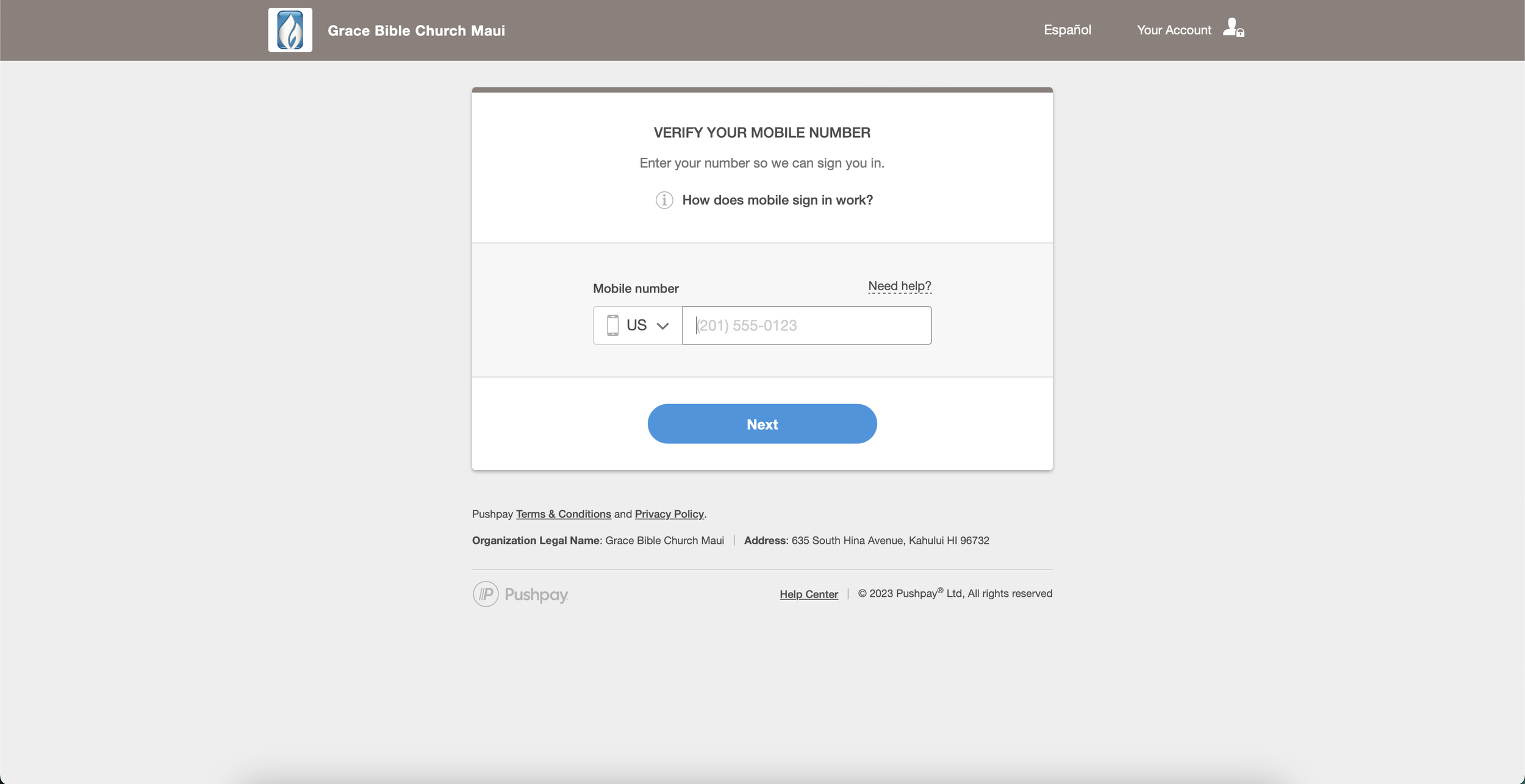
Pushpay mobile-number verification screen

Steps 5–6

Verify Your Mobile Number

  1. Enter a mobile number when prompted. Organizations may use the mobile number of an authorized representative.
  2. Enter the verification code Pushpay sends to that mobile number.
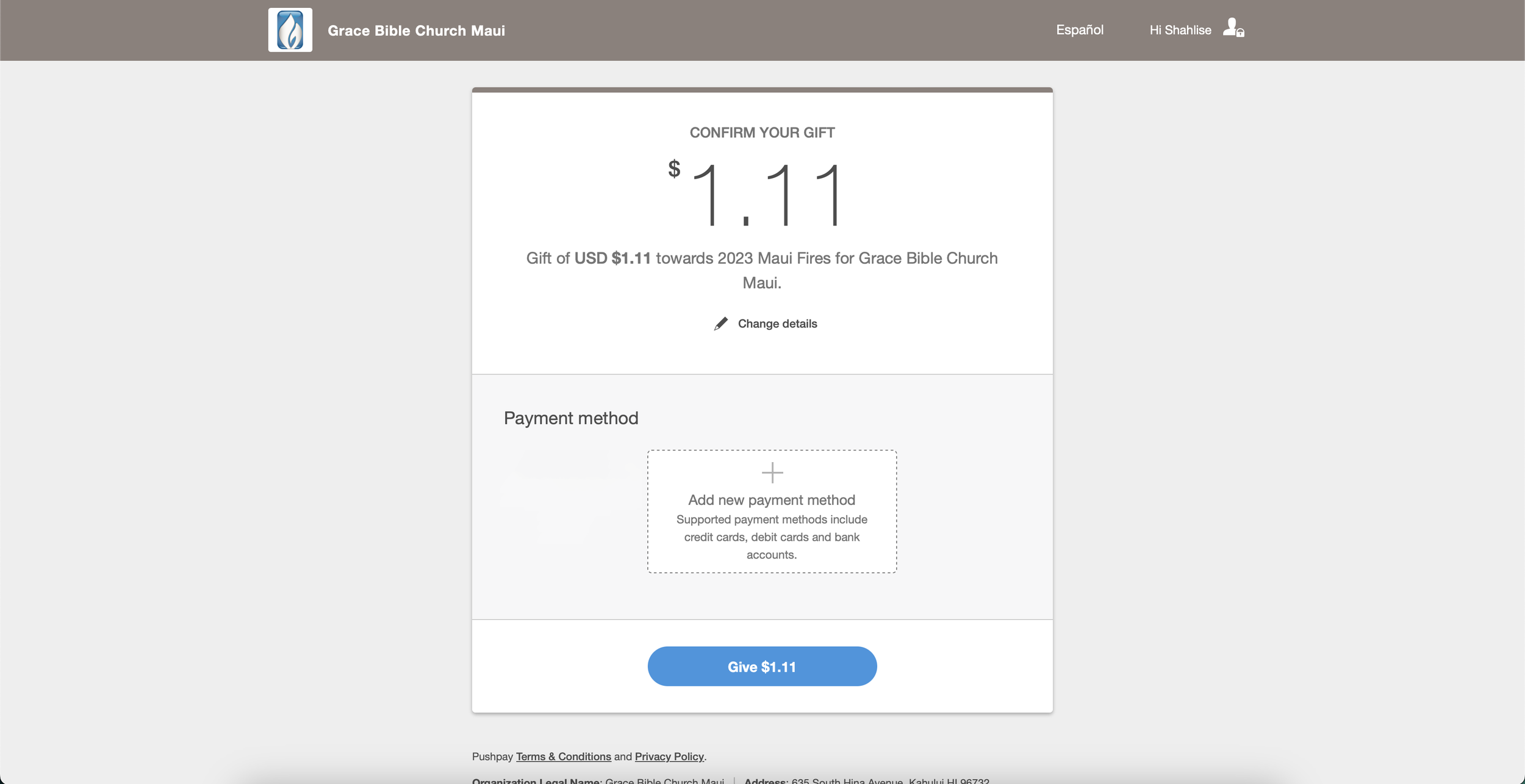
Pushpay confirmation screen with the option to add a payment method

Step 7

Add a Payment Method

  1. Review the gift amount and selected fund, then choose Add New Payment Method.
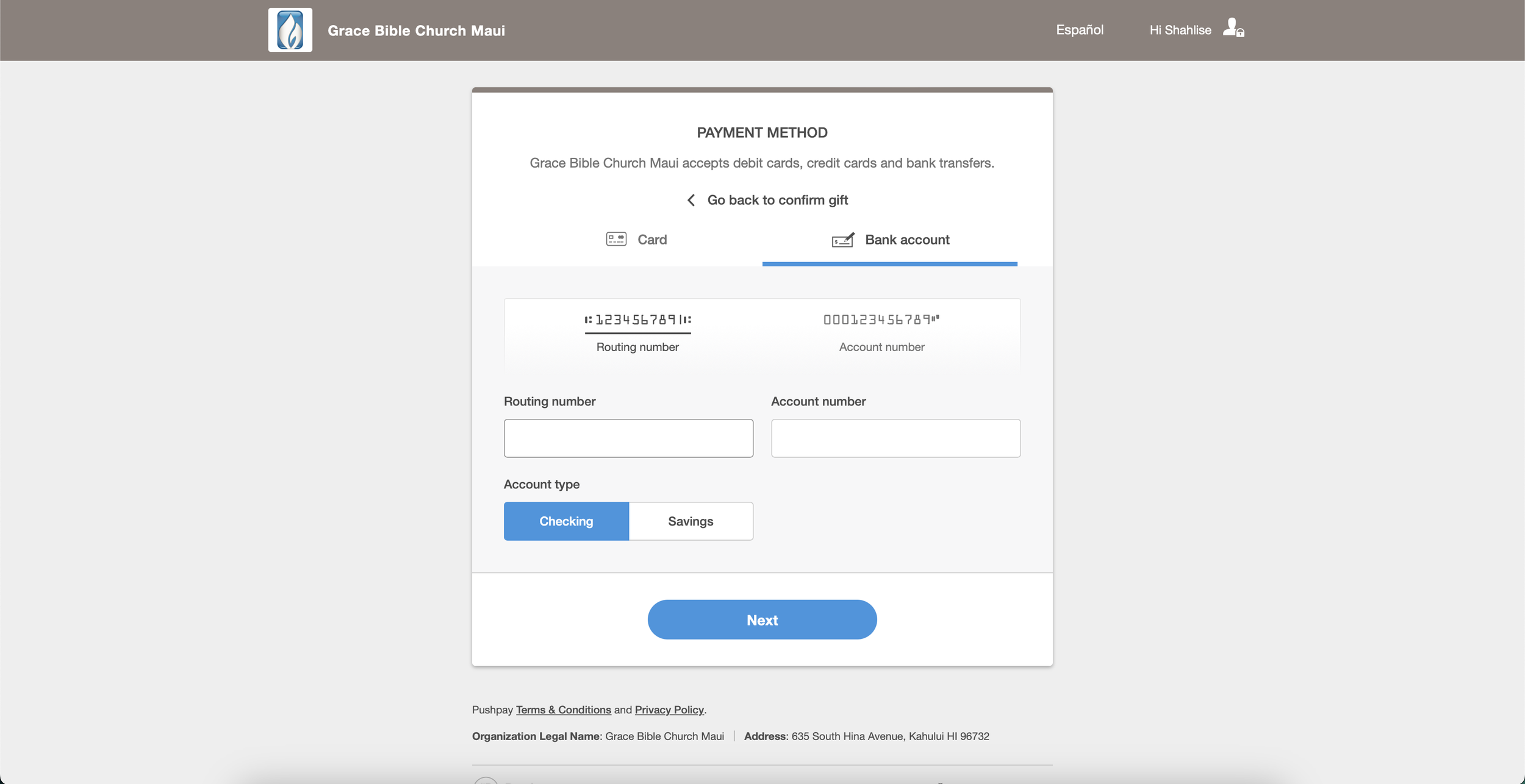
Pushpay bank-account screen with routing and account-number fields

Steps 8–11

Connect Your Bank Account

  1. Select Bank Account as the payment method.
  2. Enter your routing number and account number, then select Checking or Savings.
  3. Select Next.
  4. On the following screen, enter the requested first and last name. Organizations may enter the name of an authorized representative.

Ready to Give?

Continue to Pushpay

Open Grace Bible Maui’s secure giving page to begin your gift and add your bank account as the payment method.

Donate Now →